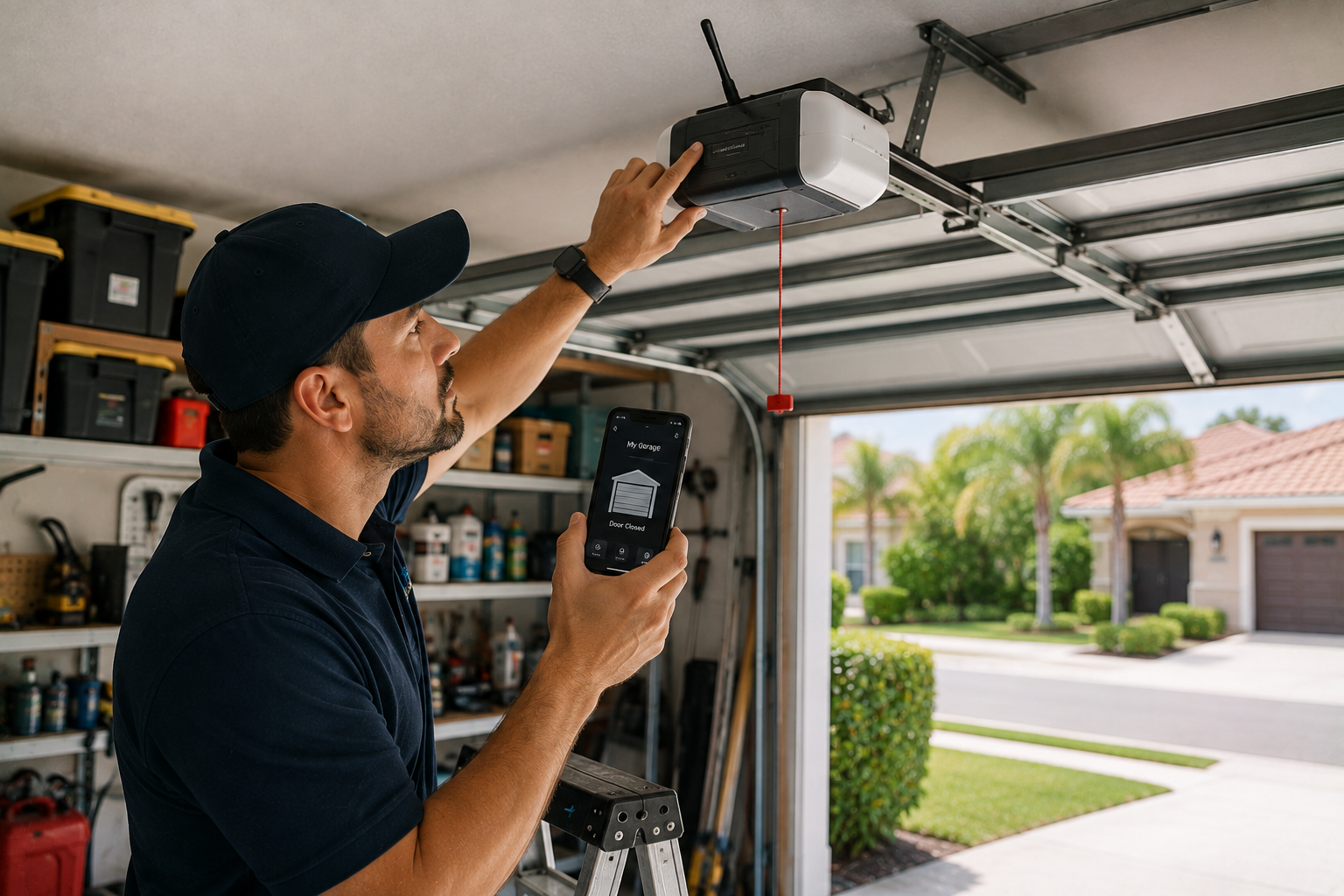
If you're struggling with Wi-FI issues with your garage door opener, you're not alone. These days, many homeowners depend on Wi-Fi-enabled garage door openers for convenience and security. However, when these systems fail, it can be frustrating and even risky. That's why Holt's Reliable Garage Door & Repair is here to help. As a trusted garage door repair company on the Treasure Coast, we have the expertise and tools to quickly and effectively diagnose and repair Wi-Fi issues with your garage door opener.
Why a Functioning Garage Door Opener Matters for Your Home
A reliable Wi-Fi garage door opener is far more than a simple mechanical luxury; it is a cornerstone of modern home management and security. The primary benefit lies in the unparalleled convenience of remote access, allowing you to enter or exit your home without the physical strain of manual operation.
Beyond ease of use, modern Wi-Fi-enabled openers offer advanced security features essential for today's homeowners. With real-time alerts sent directly to your smartphone, you are immediately notified of any activity, providing a robust layer of protection against unauthorized entry. Furthermore, the ability to check your door's status remotely offers invaluable peace of mind, ensuring your home is secure even when you are miles away.
By integrating seamlessly into your household routine, a well-functioning opener enhances efficiency. It adds significant value to your daily life, making it an indispensable component of a smart and safe home environment. Hence, experiencing Wi-Fi issues with a garage door opener causes more than an inconvenience; it becomes a safety hazard.
4 Most Common Causes of Garage Door Openers' Wi-Fi Issues
There are several reasons why your garage door opener may be experiencing Wi-Fi connectivity issues. Some of the most common causes of Wi-fi issues include:
Weak signal strength: If your garage is far from your Wi-Fi router, or if thick walls or other obstructions are in the way, your Wi-Fi signal may not reach your garage door opener.
Interference from other devices: Other electronic devices in your home, such as cordless phones, baby monitors, or even microwaves, can interfere with your garage door opener's Wi-Fi signal.
Outdated firmware: If you haven't updated your garage door opener's firmware in a while, it may not be compatible with your Wi-FI network's latest security protocols or other updates.
Network congestion: If too many devices are connected to your Wi-Fi network at once, your garage door opener's signal may slow or be disrupted.
If you're experiencing Wi-Fi issues with your garage door opener, don't hesitate to contact Holt's Reliable Garage Door & Repair at (772) 999-1125. Our team of experienced technicians can diagnose and repair Wi-fi garage door openers quickly and efficiently. We use state-of-the-art tools and techniques to ensure your garage door opener functions properly and securely.
Basic Troubleshooting With Your Garage Door Opener's Wi-FI
If you find your garage door opener is suddenly offline or unresponsive, don't panic. Many connectivity issues can be resolved with a few simple steps:
Perform a Power Cycle: unplug your Wi-Fi router for at least 15 seconds, then plug it back in to refresh your home network.
Reset the connection: If that doesn't work, try unplugging the garage door opener itself and disconnecting the backup battery for 1 full minute before reconnecting power.
Re-enter your Password: open your smart app, such as myQ or LiftMaster, to 'forget' the old network settings and re-enter your Wi-Fi password.
Factory Reset: Use this as a last resort when fixing Wi-Fi issues with your garage door opener. Locate the black adjustment button on the opener motor and hold it until you hear three distinct beeps. This clears old settings, allowing you to re-add the device through your app as if it were new.
Tips For Preventing Problems With Your Garage Opener's Wi-Fi
Preventing connectivity problems with a Wi-Fi garage door opener is essential for maintaining a reliable smart home. Follow these steps to optimize your network and minimize signal interference:
Optimize Router Placement: To stop Wi-Fi interference instantly, move your router to a central, elevated location. Avoid placing it inside cabinets, on the floor, or near large bodies of water (like fish tanks), as these can act as physical barriers. Ensure it is away from metal and concrete surfaces that block signals.
Manage Wireless Channels: Log in to your router's admin dashboard to manually select less-crowded channels. For the 2.4 GHz band, stick to non-overlapping channels 1, 6, or 11. For the 5 GHz band, select channels in the 36–48 or 149–165 ranges to reduce competition with neighbors.
Adjust Channel Width: If you live in a congested area, such as an apartment complex, set your 2.4 GHz channel width to 20 MHz rather than 40 or 80 MHz. This narrow width helps the signal punch through congestion more reliably and often fixes these Wi-Fi issues with the garage door opener.
Separate Your Devices: Use the 2.4 GHz band, which penetrates walls better, for your garage door opener and other basic smart home devices. Reserve the 5 GHz or 6 GHz bands for high-bandwidth devices like gaming consoles, smart TVs, and laptops, and keep them physically closer to the router.
Regular Maintenance: Always keep your firmware up to date to ensure compatibility with the latest security protocols. If your garage remains a "dead zone" despite these steps, consider installing a Wi-Fi signal booster to bridge the distance.
If you're experiencing connectivity issues with your Wi-Fi garage door opener or if you need help optimizing your network, contact Holt's Reliable Garage Door & Repair today. Our team of experienced technicians can quickly and efficiently diagnose and repair Wi-Fi connectivity problems with your garage door opener.
Don't Let Connection Issues Compromise Your Security
Stop struggling with Wi-Fi issues with your garage door opener and take control of your home security today. At Holt's Reliable Garage Door & Repair, we understand how vital a stable connection is for your peace of mind.
Don't wait for a minor glitch to become a major safety concern. Contact us now to schedule a professional diagnostic or repair. Let our experts ensure your home remains safe, secure, and perfectly connected.
Follow us on social media to see our latest projects across the Treasure Coast: Facebook, YouTube, Instagram, and TikTok.